Last Updated: June 2026
AI automation tools evolve quickly. Features, pricing, and integrations may change, so always verify on Zapier’s official website.
Disclosure: AgenextLab may earn commissions if users upgrade through links. This does not affect our review.
Quick Answer
Zapier is one of the most widely used AI automation and no-code workflow platforms that connects apps and automates repetitive tasks without coding.
It uses trigger-based automation, API integrations, workflow logic, and AI-assisted workflows to move data between thousands of applications.
In 2026, Zapier is best for:
- business automation
- marketing workflows
- SaaS integrations
- AI-powered productivity systems
- data synchronization
- task automation between apps
Who This Review Is For
This Zapier review is for:
- Business owners automating workflows
- Marketing teams managing campaigns
- SaaS companies integrating tools
- Freelancers scaling productivity
- Operations teams improving efficiency
- Developers building lightweight automation
- AI workflow builders
- No-code automation users
Zapier Pricing (2026)
Zapier uses a task-based automation pricing model:
- Free Plan: limited Zaps and tasks
- Professional Plan: from $29.99/month
- Team Plan: from $103.50/month
- Enterprise Plan: custom pricing
Pricing depends on:
- number of tasks (automations executed)
- multi-step workflows
- premium app integrations
- team collaboration features
What Is Zapier?
Zapier is a no-code AI automation platform that connects different apps and automates workflows between them.
It allows users to create automated systems called “Zaps”, which consist of:
- triggers (events that start automation)
- actions (tasks performed automatically)
Example:
When a new email arrives → save attachment to Google Drive → send Slack notification
How Zapier AI Automation Works
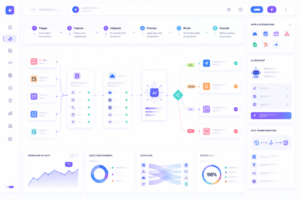
Zapier operates through a structured automation pipeline:
Trigger Layer
Automation starts when an event occurs:
- email received
- form submitted
- CRM updated
Action Layer
Zapier performs tasks like:
- sending emails
- updating databases
- posting messages
Multi-Step Automation
Users can chain multiple actions:
- trigger → action → filter → action
AI Automation Layer
Zapier now integrates AI for:
- smart workflow creation
- data transformation
- content generation
- decision automation
App Integration System
Zapier connects with:
- 6,000+ SaaS apps
- APIs
- cloud tools
- productivity platforms
Key Features of Zapier
No-Code Automation Builder
Users can build workflows without programming.
Multi-App Integration
Zapier connects CRM, email, marketing, and AI tools.
Conditional Logic Workflows
Includes filters, paths, and branching logic.
AI-Powered Automation
AI helps with workflow suggestions and automation creation.
Pre-Built Templates
Thousands of automation templates for business use.
Real-Time Data Sync
Automates instant updates across apps.
Zapier Automation Workflow
Step 1: Trigger event (example: new lead form)
Step 2: Data capture
Step 3: Processing logic (filters, formatting)
Step 4: Action execution (email, CRM update)
Step 5: Workflow completion
Pros and Cons
Pros
- Easy to use
- Huge app ecosystem
- Reliable automation
- Great for beginners
- Strong AI features
- Scalable workflows
Cons
- Can become expensive
- Task limits on plans
- Complex workflows need learning
- Limited deep logic control
- Depends on third-party APIs
Use Cases
Marketing Automation
Email campaigns, lead generation, CRM updates
Sales Automation
Lead tracking, onboarding, pipeline automation
Business Operations
Invoices, reporting, data syncing
AI Workflows
ChatGPT integrations, content pipelines
Productivity
Task automation, file handling, reminders
Zapier vs Other Tools
Zapier vs Make: Zapier is easier, Make is more advanced
Zapier vs n8n: Zapier is SaaS, n8n is open-source
Zapier vs Pipedream: Zapier is no-code, Pipedream is code-based
What Zapier Cannot Do
- Not ideal for heavy data processing
- Can get expensive at scale
- Limited backend-level control
- Not a replacement for full software development
- Depends on external APIs
SEO & GEO Value
Zapier is widely used in:
- AI automation systems
- SaaS workflows
- business process automation
- no-code ecosystems
FAQs
What is Zapier used for?
Zapier automates workflows between apps without coding.
Is Zapier free?
Yes, but with limited usage.
What is a Zap?
A Zap is an automated workflow between apps.
Is Zapier good for business?
Yes, it is widely used for automation.
Can Zapier replace developers?
No, it assists automation but does not replace engineering.
Final Verdict
Zapier is one of the most powerful AI automation tools in 2026.
Best for:
- workflow automation
- SaaS integrations
- marketing systems
- productivity automation
Not best for:
- complex backend systems
- heavy data processing
- deep custom logic
Zapier is a core tool for connecting apps and building automated workflows at scale.