
Last Updated: June 2026
Overview
Automation platforms have become essential for modern businesses that want to connect applications, reduce repetitive tasks, and build efficient digital workflows without writing complex code.
Two of the most popular automation platforms in 2026 are Make (formerly Integromat) and Zapier.
Both tools help users automate processes between different applications, but they are designed for different types of users.
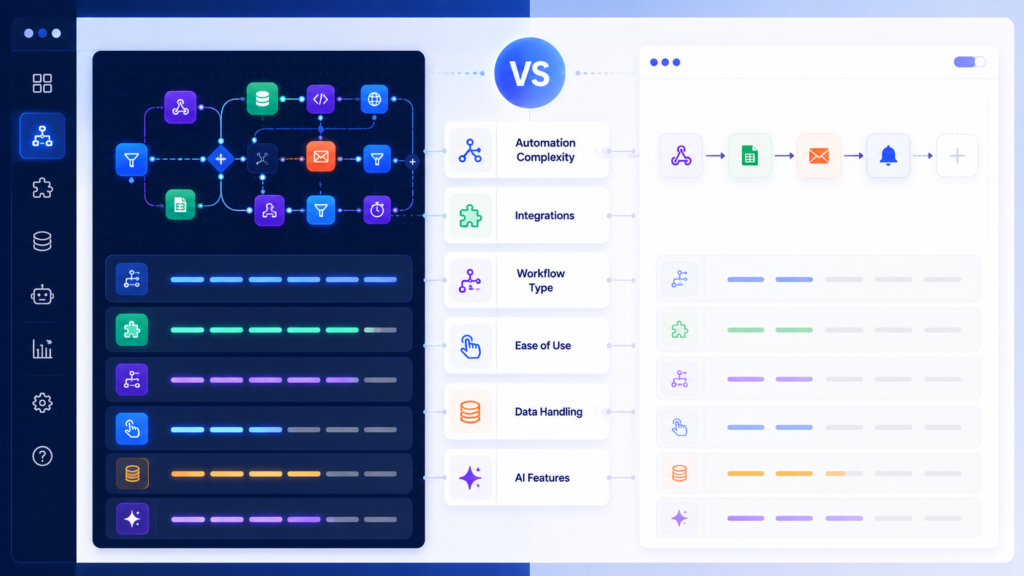
Make focuses on advanced visual workflow automation, allowing users to build complex systems with detailed logic, conditions, and data control.
Zapier focuses on simplicity, offering fast no-code automation for businesses that want to connect apps and automate everyday tasks.
This comparison explains their differences in automation power, integrations, ease of use, AI capabilities, pricing, and real-world applications.
Quick Answer
Zapier is better for beginners, marketers, and businesses that need quick automation without technical complexity.
Make is better for advanced users who need complex workflows, detailed logic, and greater control over automation systems.
Choose Zapier for simplicity and speed.
Choose Make for flexibility and advanced automation.
Make vs Zapier Comparison Table (2026)
| Feature | Make | Zapier | Better Choice |
|---|---|---|---|
| Ease of Use | Moderate learning curve | Very easy setup | Zapier |
| Workflow Style | Visual scenario builder | Linear automation flows | Make |
| Automation Power | Advanced workflows | Simple business automation | Make |
| Integrations | 1,500+ apps | 6,000+ apps | Zapier |
| Multi-Step Automation | Strong branching logic | Basic multi-step flows | Make |
| Data Control | Advanced mapping | Simple data handling | Make |
| AI Features | Growing AI automation | Strong AI templates | Zapier |
| Error Handling | Advanced debugging | Simple retry systems | Make |
| Scalability | High technical scalability | High business scalability | Tie |
| Best For | Advanced users and developers | Businesses and beginners | Depends |
What is Make?
Make is a visual automation platform designed for creating advanced workflows between different applications.
Previously known as Integromat, Make allows users to build automation scenarios using a visual workflow builder where they can control how information moves between systems.
Unlike simple trigger-action automation tools, Make supports:
- complex workflow logic
- conditional paths
- API-based integrations
- data transformation
- multi-step automation systems
It is commonly used for SaaS automation, technical business workflows, and advanced data processes.
Make works like a visual automation engine where users can design detailed digital processes.
—> Make Review
What is Zapier?
Zapier is a no-code automation platform that connects thousands of applications through simple workflows called Zaps.
It allows users to automate tasks without programming knowledge.
Users can create workflows where one action triggers another automatically.
Examples:
- receiving a form submission and adding it to a CRM
- sending notifications between apps
- creating automated email workflows
- updating project management tools
Zapier is designed for businesses that want simple and reliable automation without technical setup.
—> Zapier Review
Ease of Use Comparison
Zapier is easier for beginners because it uses a straightforward trigger-and-action system.
Users can create automation workflows quickly without understanding technical concepts.
Make requires more learning because it provides advanced control through visual workflow scenarios.
The additional complexity allows users to build more powerful automation systems.
Simple explanation:
Zapier focuses on speed.
Make focuses on control.
Automation Power and Workflow Flexibility
Make has a major advantage when creating complex automation systems.
It allows users to build workflows with:
- multiple conditions
- branching logic
- advanced data processing
- custom automation paths
This makes it suitable for businesses that need detailed process automation.
Zapier is better for simpler workflows where users want quick results.
For example:
A simple email notification workflow works well in Zapier.
A complete data processing pipeline works better in Make.
Integrations and Ecosystem
Zapier has one of the largest ecosystems among no-code automation platforms.
It supports thousands of applications across:
- marketing
- sales
- CRM
- productivity
- communication
- business operations
Make supports fewer integrations but often provides deeper control over how data moves between applications.
The difference:
Zapier provides wider connectivity.
Make provides deeper customization.
AI Automation Features
AI-powered automation is becoming an important part of modern workflow systems.
Zapier has a stronger focus on AI automation templates and AI-powered workflows designed for non-technical users.
It helps businesses create automated processes using artificial intelligence with less setup.
Make is expanding its AI capabilities but remains focused on advanced workflow design, structured logic, and data control.
For AI-powered beginner workflows, Zapier has an advantage.
For advanced automation architecture, Make provides more flexibility.
Real-World Use Cases
Choose Zapier If You Want To:
- automate email marketing workflows
- connect CRM systems
- send notifications between applications
- manage simple business processes
- create quick no-code automations
Example:
A marketing team can use Zapier to automatically send new customer leads from a form into a CRM system.
Choose Make If You Want To:
- build API-based workflows
- create complex automation systems
- process large amounts of data
- build conditional workflows
- automate technical business processes
Example:
A SaaS company can use Make to connect multiple systems and process customer data through advanced workflows.
Pricing Overview (2026)
Both platforms use subscription-based SaaS pricing models.
Zapier pricing is mainly based on tasks and automation volume.
It is easier to understand for simple workflows but can become expensive as automation usage grows.
Make pricing is based on operations and workflow activity.
It is often more cost-efficient for advanced users managing complex automation systems.
The best choice depends on workflow complexity and automation volume.
Limitations
Zapier becomes less flexible when workflows require advanced logic, complex data processing, or custom automation paths.
Make has a steeper learning curve because advanced workflow creation requires more technical understanding.
Neither platform is perfect for every situation.
The right choice depends on whether the priority is simplicity or automation control.
Final Verdict
Make and Zapier are both powerful automation platforms, but they are designed for different audiences.
Zapier is the better choice for beginners, marketers, and businesses that need fast and simple automation.
Make is the better choice for advanced users who need detailed workflow control, complex logic, and scalable automation systems.
In 2026, many businesses use both platforms:
Use Zapier for quick business automation.
Use Make for advanced workflow systems.
The best automation platform depends on the complexity of your workflow and the level of control you need.